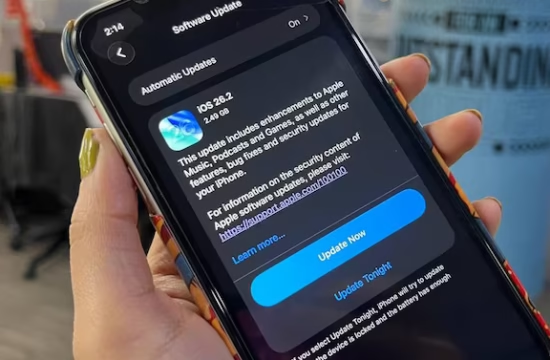
Apple’s iOS 18 is packed with exciting new features, and one of the standout additions is the Apple Invites app. Designed to simplify event planning and coordination, this app is set to become a must-have tool for iPhone users. Whether you’re organizing a birthday party, a business meeting, or a casual get-together, the Apple Invites app promises to make the process seamless and efficient. Here’s everything you need to know about how it works and when to use it.
What is the Apple Invites App?
The Apple Invites app is a new feature in iOS 18 that allows users to create, send, and manage event invitations directly from their iPhones. Integrated with Apple’s ecosystem, it leverages tools like Calendar, Messages, and Maps to provide a cohesive event-planning experience.
Key features include:
- Customizable Invitations: Create visually appealing invites with templates, photos, and personalized messages.
- RSVP Tracking: Easily manage guest lists and track responses in real-time.
- Automatic Reminders: Send reminders to attendees as the event date approaches.
- Location Integration: Add event locations with Maps integration for easy navigation.
- Cross-Platform Compatibility: Works seamlessly across iPhone, iPad, and Mac devices.
How Does It Work?
Using the Apple Invites app is straightforward:
- Open the app and select “Create Invitation.”
- Choose a template or design your own invite.
- Add event details like date, time, location, and description.
- Select guests from your Contacts or enter their email addresses/phone numbers.
- Send the invitation via Messages, Email, or a shareable link.
Once sent, you can track RSVPs, send updates, and even chat with attendees directly within the app.
When Should You Use It?
The Apple Invites app is perfect for a variety of occasions, including:
- Personal Events: Birthdays, weddings, baby showers, and family gatherings.
- Professional Meetings: Business conferences, team meetings, and networking events.
- Social Gatherings: Dinner parties, game nights, and community events.
Its intuitive design and integration with Apple’s ecosystem make it a versatile tool for both casual and formal events.
Additional Insights from Other Sources
According to reports from 9to5Mac and MacRumors, the Apple Invites app is part of Apple’s broader strategy to enhance productivity and user experience in iOS 18. The app is also expected to integrate with Apple Wallet, allowing users to add event tickets or passes directly to their Wallet for easy access.
Moreover, the app is designed with privacy in mind. Apple has confirmed that all event data is end-to-end encrypted, ensuring that your information remains secure.
Why This App Matters
The Apple Invites app addresses a common pain point for event organizers: the hassle of managing invitations and RSVPs across multiple platforms. By centralizing these tasks within a single app, Apple is making event planning more efficient and user-friendly.